Showing posts with label Photos. Show all posts

Monday, February 03, 2014

Epson PictureMate Polaroid Prints

Why Hello There!
Long time, no blog ;)
Yes, I have been especially slack and haven't posted for almost a whole year (gasp!).  Alot has happened in that year, but that very long story I'll save for another day. (You may breathe a sigh of relief ;)

So, I have finally had a chance to play around with my beloved Epson PictureMate and let me tell you - the more I play, the more I love it! How did I ever survive without this cute little gem?  If you are the sort to be organized and on the ball every week (I'm looking at you, Sharlene ;) then maybe you don't need this, but me - I get distracted easily, I resent the time I have to sit at those little photo computer things at Kmart or wherever or even the time going through uploading them to do an online order of prints,  I have tried a few stores and I must say, I'm almost always disappointed in either the quality or the size.  (they often seem to crop bits off  when I have created a file that is 6x4" for printing, could just be me.
 When I want a photo printed, I can just turn that sucker on and print, instant gratification right there ladies ;) Anyhoo, love the PM.  I also love everything Retro, and this of course includes Polaroids.  Some of the PLAUST ladies out there have shown me how easy it is to use the Collect App to create a polaroid style pic per day and that seems to work for them.  My trouble?  I have an Android phone and that App isn't available for Android.  Bummer.  So I decided that there has to be a way to not only print my Instagram pics easily, but also to turn them into polaroid style prints.  I played around and this is what I came up with:

Please note that I fumbled around until I came up with this - if you know of an easier way, please don't hesitate to let me know, but I figured there had to be at least a couple of ladies (or gents ;) out there that are just as technologically clueless as me ;)  Also, I know that you can achieve similar results using Photoshop, but I'm impatient, so I wanted a way to do this just using the PictureMate software - just choosing photos, adjusting a few things and printing. Done.

Step 1.

So, first things first - open up the Epson Easy Photo Print software and select which photos you want to use.  I'm making mine 3x4" size so I'm choosing 2 at a time, but this technique can easily be adapted for single 4x6" prints. Once you've chosen your two (or more) press 'Next Step'.

Step 2.

Next you want to choose the settings of your paper etc.  I have tried with borders and with out and I think it's a  bit easier on the borderless setting.  Because I was doing the two 3x4" prints on the one sheet I chose 2-up. Once you choose 2-up it will automatically choose the first 2 in line and put them side by side.


Step 3.
Now if you left it there - the software will simply blow up the pic to fill the amount of space (ie the whole 3x4 inches).  But we don't want that.  Not only does it cut off some of the pic, it doesn't create the polaroid effect. So, go into Positioning, click 'Rotate all Photos' (this just means that it will do both at once and you don't have to do them one at a time) and click on the arrow shown.  (or whichever one points the photo in the direction you want - remember - for a polaroid we want the empty space under the bottom of the pic).

Now we need to shrink down our pics so that all of the image is showing, plus allowing a border around the top and sides. Using the 'Magnification' slider I found that reducing them each down to approx.  69-71% looks good - but feel free to play around until you are happy with the look.  You will need to click on each image and do this separately.

 Lastly you will need to reposition both pics slightly so that they have that classic polaroid look - equal-ish border around each side and top and extra down the bottom.  You can do this with the Positioning arrows as shown or by clicking on each and moving them.

Now all you have to do is select print, cut them in half and you are done!!

Don't be overwhelmed if it sounds a bit complicated at first (or underwhelmed if it sounds too easy ;)  It really only take a couple of minutes at the most and you are done.

So, hopefully that wasn't too painful for you.  I'm a very visual person so I love a good diagram or photo example so I hope this helps. I'm still playing so if you have any hints or tips I'd be glad to hear them!
Thanks for checking in!
Barbara

Thursday, June 07, 2012

Technique Overload

Hi there bloggers.
I know that it has been an absolute age since I have posted.  But I'm back in the saddle (so to speak)  I just thought that I would share a few pics of the fantastic class I did today with the great man himself Tim Holtz!!
Yes, that's right, Rachel and I had the honour today to have an all day class with him (along with around 30-40 other ladies).  We had an awesome time and learned an enormous amount.  So exciting!!

Our goodies waiting for us on the tables

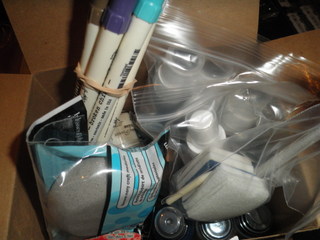
What was in the box
I had to take a photo of the huffing demo ;)

Horrendous photo of me (as usual) just wait until you see the hilarious one taken with
Rachel's phone ;)
So, I have another HUGE 5 days ahead - full day of Copic Certification tomorrow, then setting up of the show stand straight after.  3 enormous crazy days of the show and then Copic Intermediate Certification on Tuesday.  Eeek. Then an 8am Parent/Teacher interview at school on Wednesday. And then crawl into bed ;)

Wish me luck!
B

Sunday, July 10, 2011

Life, The Universe and Everything

I'm warning you all now that I'm in a bit of a weird mood today. 
I don't know whether it's 1. the freezing cold (I mean really, 4 degrees?  Couldn't it make the effort and warm up a little?) 2. the consistent lack of sleep (mostly my own fault - I've become addicted to Craig Ferguson's late, late show - honestly, I'm powerless against a mad Scotsman with a sleazy gay robot side-kick ;) or 3. the fact that I'm coming to the conclusion that I must have accidently set off some catastrophic Mummy curse at some stage (my only logical conclusion - I mean, now someone reverses into the front of my car?  Has it not suffered enough?)
Anyway, that's enough whinging.
So, I've been driving my poor gal pal Rachel mad by torturing her with my complete lack of computer savvy.  If you witnessed the weird-looking appearence of my blog for 12 hours or so - that was me torturing Rachel to help me change my blog, failing miserably and then ringing her at an un-godly hour begging her to teach me how to change it back ;)
So, any ideas or tips for revamping my blog without losing my header (or making it green) please, bless me with your wisdom ;)
You may have also noticed the little BublTree etsy store jigger on my blog (if the whinging didn't scare you away ;)
The aforementioned Rachel and I have just opened our own etsy store together where we will be selling all manner of crafty goodness. 

(check out my super fuzzy crocheted coathangers ;) we are still slowly adding the items we've made so bear with us.

It was Hamish's birthday last week - he turned 5 (eek) and is very cross that he isn't going to school now.  

Check out the awesome Dino cake that my gal pal Lyndal made
I've also been super busy at work, teaching lots of classes.  Most recently my 'Creativity Journal' which is really just a fancy name for a folder that you can use for organising stuff.

We also had our all day Christmas in July class yesterday.  Where there was far too much laughing and guffawing going on.  (let's just say that I'll be suspicious now whenever Dion cooks dinner ;)


Anyway, I'm off to make 19 sets of dog-tags for a 7yr old's birthday party (fun) and need to get off the computer before Connor's head explodes with impatient fury.

Thanks for stopping by.
B


Sunday, December 26, 2010

Merry Christmas

Look at these cute and goofy boys of mine!  Poor Santa is being squashed out of his chair, no simple sit-on-the-knees for my boys ;)

 And here is the long-anticipated (and mocked) photo that you've all been waiting for.
In my defense I had polished off a bottle of wine, as had Fiona (which is probably why Kevvie said 'and you ladies haven't been drinking at all tonight, have you?') He looks so pleased to be there, doesn't he?  Well, that's the risk you take when you frequent the same dessert bar as us!  Fiona was very excited that the honourable MP knew where the scrapbooking shop was.  (She didn't believe my idea that he's been secretly dressing in drag and popping in for his craft fix)

Well as I type here, clutching my coffee and having a mechanical frog shoved up my nose by my youngest (always fun)  I just wanted to wish everyone a belated Merry Christmas.  Thankyou for popping in and visiting me, I really love to see that people are dropping by and leaving comments.  My goal for next year is to actually learn how to make my blog a bit spiffier and get my camera fixed!  I would love any suggestions any of you have!
Have a fabulous New Year, and be kind to each other.
B

Sunday, September 05, 2010

Steampunk Debutante

I've been busy again, what can I say, the Graphic 45 just inspires me.

This was going to be one of my layouts for Issue 4 but I changed my mind at the last minute. I'm now going to use a different one from the same night.
As you may have guessed this was taken at the same Halloween party where I was a pirate, I'm thinking I may need to up the ante in my costume this year ;)
We took the boys to see Riverfire last night.  They both loved it, although I think Hamish was equally entranced by the crackers and dip that the afore-mentioned Kylie provided!

I took this at the bus stop as we were on our way into the city, I of course then forgot to take some more...of the fireworks!